football and Live games player kawin77 in inwith.
kawin77 Game Demo — Pragmatic Play, PG Soft & Habanero Slots
Our Game Demo feature lets you explore slot mechanics, live-dealer tables, and sportsbook interfaces without depositing funds. We designed the demo mode so you can learn game rules, test betting strategies, and understand payout structures at your own pace. Whether you are in Jakarta, Surabaya, or Bandung, our demo library runs on any modern mobile browser — no app installation required.
Open an account
Game Demo
- Brand
- Category
- Live Table / Card
- RTP
- high
- high
We host demos for Aviator, Sweet Bonanza, Gates of Olympus, Fortune Tiger, and Mahjong Ways alongside live-casino tables and football markets covering Liga 1, Piala AFF, and international tournaments. Each demo resets your balance, so you can try again without consequence. Our demo environment mirrors the live platform exactly — same odds, same payout tables, same real-time feeds — letting you build confidence before your first deposit.
How to access kawin77 Game Demo
Our Game Demo sits in the main menu under "Game Demo" and requires no login. Simply visit kawin77.net, select Game Demo from the header, and browse our full slot and table catalog. Each game card shows a thumbnail, title, and "Play Demo" button. Tap or click the button to load the game in demo mode with a default balance (usually equivalent to a standard starting point — exact amounts vary by game provider).
You do not need to provide payment details or personal information to access the demo. Your demo session stays isolated from your account; if you create an account later, demo play history does not carry over. Our demo games load instantly on mobile devices — whether you use Android or iOS browser — so there is no waiting or installation step.
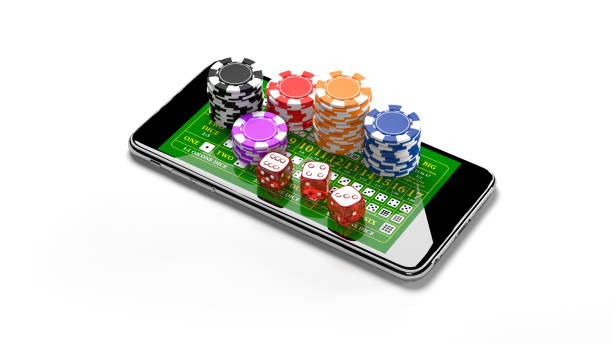
Demo mode is the safest way to understand game volatility, bonus triggers, and payout mechanics before committing your own funds.
Game Demo library — what we offer
Our demo collection spans multiple providers and categories. For slots, we feature Pragmatic Play titles (Sweet Bonanza, Gates of Olympus), PG Soft games (Fortune Tiger, Mahjong Ways), and Habanero slots. We also demo Aviator by Spribe — our rapid-multiplier game with live draw mechanics. Each slot demo runs with identical reel layouts, symbol weights, and bonus rules as the live version.
Beyond slots, our Game Demo includes live-dealer table demos (blackjack, baccarat, Dragon Tiger, roulette variants) and a read-only preview of our sportsbook odds for Liga 1, Piala AFF, and international football fixtures. You cannot place live bets in demo mode, but you can view market structure, odds notation, and settlement logic. This helps you grasp how our sportsbook works before opening a live account.

When you load a slot demo, the interface mirrors our live game exactly. You see the same reel grid, spin button, bet-size slider, and payout table. Bonus features (free spins, multipliers, feature buys) trigger using the same algorithms as the live version. This transparency means you understand exactly how the game behaves before real money is involved.
Our live-dealer table demos let you observe real dealers, camera angles, and betting layouts. You watch the game unfold in real time but cannot place bets. This gives you a feel for table pace and dealer interaction — helpful if you are new to live casino.
- RTP (Return to Player)
- The percentage of bets our games return to players over time. Demo games show the same RTP as live versions.
- Volatility
- How often and how large payouts occur. Demo play helps you feel volatility before committing funds.
- Bonus trigger rate
- How frequently special features (free spins, bonus rounds) appear. Demo mode shows realistic trigger frequency.
Demo-mode rules and reset mechanics
Each demo session starts with a fixed balance — think of it as a practice allowance. You can spin, bet, and win within that session until the balance runs out. When your demo balance reaches zero, you have two options: refresh the page to reset the balance and start again, or close the game and try another title.
Demo sessions do not carry over between devices or browsers. If you play on your phone, then open the same game on a tablet, each device gets its own fresh balance. Demo play history is not tied to your account; if you sign up for real money, your demos are forgotten — you start completely fresh with your live balance.
Why we built Game Demo into kawin77
We understand that players in Jakarta, Medan, Semarang, and other regions want to learn before committing money. Our demo environment removes that barrier. You can test all five major slot titles (Aviator, Sweet Bonanza, Gates of Olympus, Fortune Tiger, Mahjong Ways), explore live-dealer tables, and preview sportsbook odds — all without risk.
Demo mode also helps you find your preferred payment method beforehand. When you are ready to deposit, you already know whether you prefer DANA, e-wallet, mobile banking, local payment, or online payment. You have also seen exactly how our interface works, reducing surprises on your first live session.
-
1
Open the Game Demo pageStep 1
Navigate to our Game Demo section from the main menu. No login required.
-
2
Choose a game titleStep 2
Browse slots, live tables, or sportsbook previews. Each has a distinct thumbnail and description.
-
3
Click Play DemoStep 3
The game loads instantly with a practice balance. No deposit needed.
-
4
Explore at your paceStep 4
Spin, observe bonus triggers, and note payout patterns. Reset whenever you like.
-
5
Open an account when readyStep 5
Once confident, sign up, verify your identity, deposit via your preferred method, and play live.

From demo to live play — deposit and account setup
When you decide to play with real funds, our sign-up process takes a few minutes. You provide your name, email, phone number, and date of birth. We then ask for identity verification — a scanned ID card or passport. This step complies with our anti-money-laundering requirements and protects your account.
Once your identity is verified, you are ready to deposit. We accept e-wallet, mobile banking, local payment, online payment, e-wallet, mobile banking, and direct bank transfers via local payment, online payment, e-wallet, and mobile banking. Deposits typically arrive instantly. Your first real-money balance is separate from demo play — it does not carry over. You start fresh with only the funds you deposit.
We offer scheduled tournaments and events across our slot titles throughout the week. These run on fixed days and entry windows, so you can plan ahead. Whether you play during Idul Fitri, Idul Adha, or any other time, our tournament calendar stays open.
Demo limitations and live-mode differences
Our demo environment is stateless — each session is independent and carries no history, no rewards, and no risk. In live mode, every bet is real, every win is credited to your account, and every loss reduces your balance. The game mechanics are identical, but the stakes are real.
Demo mode does not include promotional offers, cashback, or comp points. Live play earns these rewards according to our promotional terms. Demo also does not give you access to our live-customer-support chat — that feature activates once you have a live account. For general questions during demo play, visit our FAQ or read our Terms page.
Key differences between demo and live
- Balance: Demo balances reset; live balances persist until withdrawn.
- Withdrawals: Demo winnings cannot be withdrawn; live winnings can be (subject to verification windows).
- Tournaments: Only live players can enter scheduled slot tournaments.
- Rewards: Demo play earns no points or cashback; live play does.
- Support: Live account holders access our English-language support chat; demo players use FAQ and email only.
Accessing Game Demo on mobile and desktop
Our Game Demo works on any modern browser — Chrome, Firefox, Safari, or Edge. On mobile (Android or iOS), simply open kawin77.net in your browser, tap the menu, and select Game Demo. No app installation is needed. Games load responsively, so the interface adjusts to your screen size automatically.
We recommend using a mobile browser for the best experience on phones and tablets, as this matches how our live platform behaves on small screens. On desktop, the demo also runs smoothly in full-screen mode.
Summary — why Game Demo matters
Our Game Demo lets you learn kawin77 without spending money. You can test all five major slot titles, observe live-dealer table layouts, preview sports odds, and build confidence in our interface. Once you understand how we work, you are better prepared for your first deposit and first live session.
Whether you are in Surabaya, Bandung, or elsewhere, our demo library is always open and always free. Start with a game that interests you — Aviator for fast-paced multipliers, Sweet Bonanza for cluster-pay mechanics, Gates of Olympus for expanding reels, Fortune Tiger for Asian-themed symbols, or Mahjong Ways for tile-matching gameplay. Explore, reset, and try again as often as you like.
When you are ready to transition to real play, your identity verification and deposit method are just a few steps away. Our support team, available during business hours, can answer questions about account setup, payment options, and tournament eligibility. We serve customers across Jakarta, Medan, Semarang, Surabaya, Bandung, and other supported regions. Your services are available only where local law permits — users are responsible for verifying that access and use comply with their own jurisdiction's law.